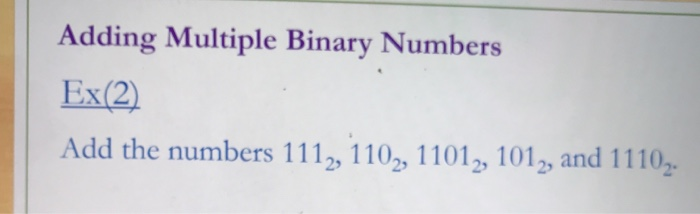
Adding Multiple Binary Numbers: A Step-by-Step Guide
Understanding Binary Numbers
Adding multiple binary numbers can seem like a daunting task, especially for those who are new to binary mathematics. However, with a little practice and patience, anyone can master the art of binary addition. In this article, we will explore the basics of binary numbers and provide a step-by-step guide on how to add multiple binary numbers.
Binary numbers are a base-2 number system that uses only two digits: 0 and 1. This number system is the foundation of computer programming and is used in a wide range of applications, from simple calculators to complex computer algorithms. To add binary numbers, you need to follow a set of simple rules, including carrying over when the sum of two digits exceeds 1.
Adding Multiple Binary Numbers: Tips and Examples
Before we dive into the process of adding multiple binary numbers, it's essential to understand the basics of binary numbers. Binary numbers are made up of bits, which can have a value of either 0 or 1. When adding binary numbers, you need to line up the bits correctly and then perform the addition, taking into account any carries that may occur.
Adding multiple binary numbers requires a combination of basic addition skills and an understanding of binary mathematics. One tip is to start by adding the rightmost bits and then work your way to the left, carrying over any excess value when the sum of two bits exceeds 1. For example, if you want to add the binary numbers 1010 and 1100, you would start by adding the rightmost bits (0 and 0), resulting in 0 with no carry over. You would then move to the next bit, adding 1 and 0, resulting in 1 with no carry over. By following this process, you can easily add multiple binary numbers and obtain the correct result.