
How to Create a Calendar in Google Sheets


Setting Up Your Calendar
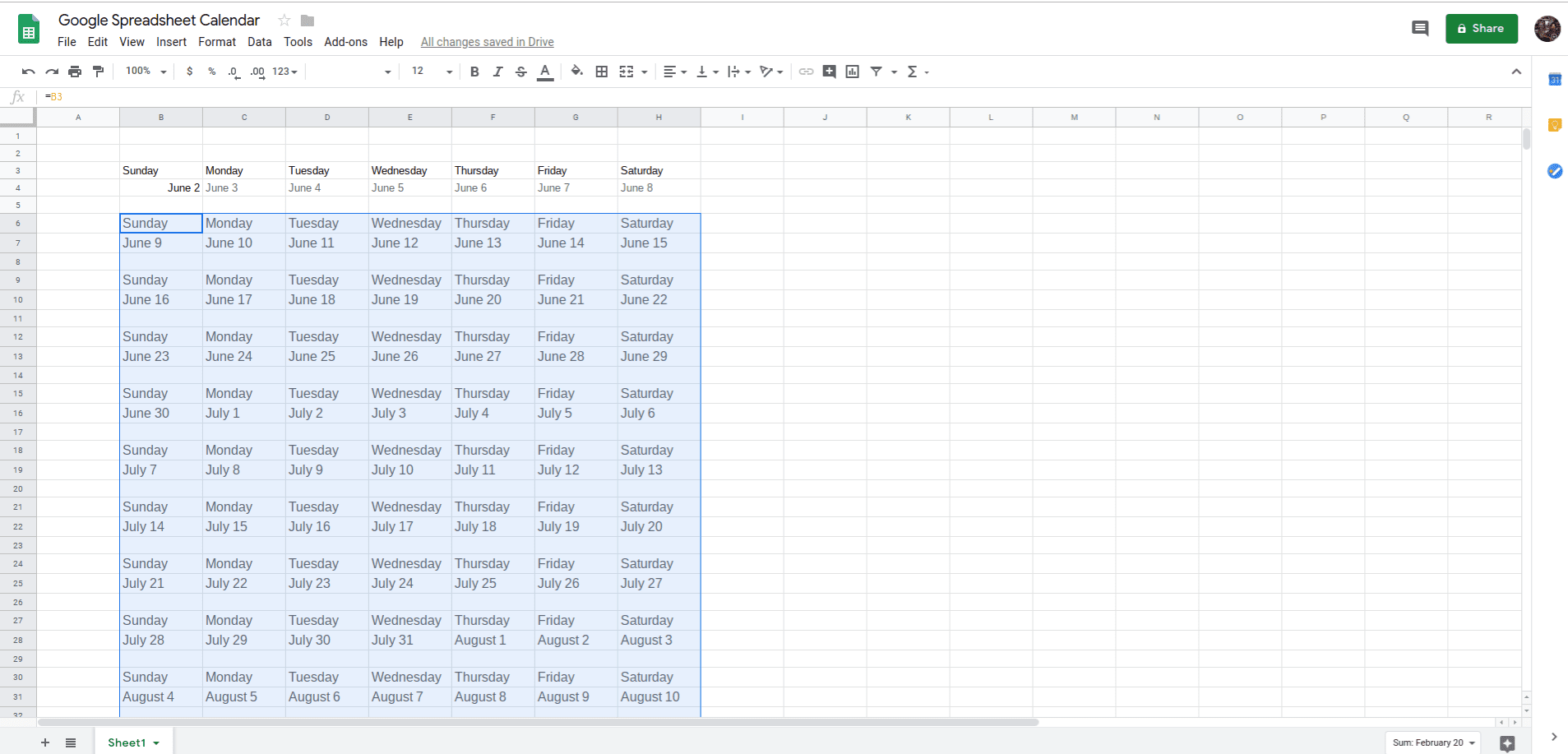
Creating a calendar in Google Sheets is a great way to stay organized and keep track of important dates and events. With Google Sheets, you can easily create a calendar that can be shared with others and accessed from anywhere. To get started, simply open a new Google Sheet and give it a title, such as 'Calendar' or 'Schedule'. Then, set up the columns and rows to create a grid that resembles a calendar.
To set up your calendar, you will need to create columns for the days of the week and rows for the dates. You can also add additional columns for notes or reminders. Once you have your grid set up, you can start filling in the dates and events. You can use formulas to automatically fill in the dates, or you can enter them manually.
Customizing Your Calendar
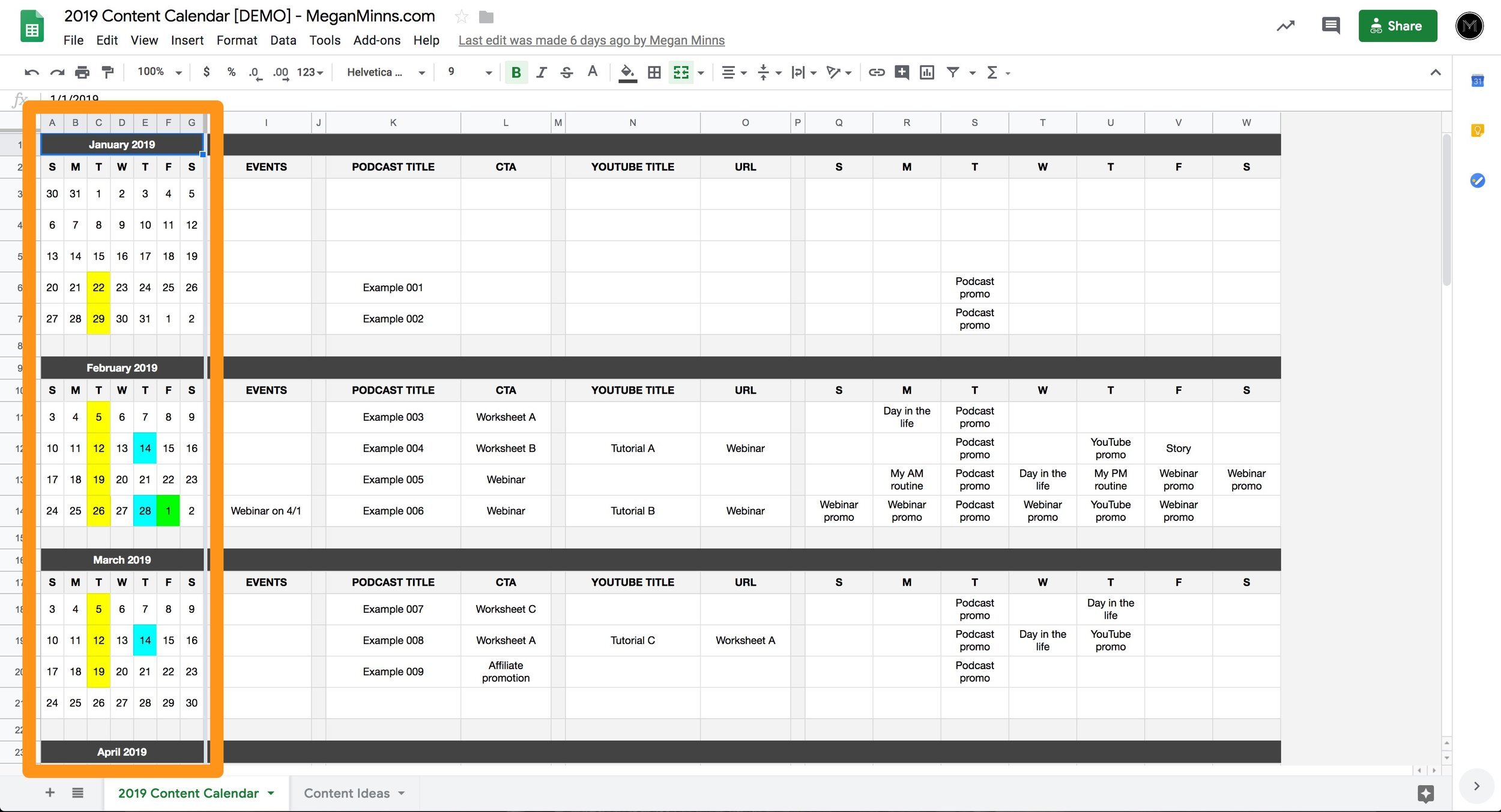
Now that you have your calendar set up, you can start customizing it to fit your needs. You can add colors, borders, and fonts to make it more visually appealing. You can also add formulas to automatically calculate dates and events. For example, you can use the 'TODAY' function to highlight the current date, or the 'WEEKDAY' function to determine the day of the week.
With your calendar set up and customized, you can now start using it to stay organized. You can share it with others, such as colleagues or family members, and access it from anywhere. You can also use Google Sheets' built-in features, such as conditional formatting and filtering, to make it even more useful. By following these steps, you can create a calendar in Google Sheets that meets your needs and helps you stay on track.