How to Excel Remove Non Printable Characters
What are Non-Printable Characters?
When working with data in Excel, you may encounter non-printable characters that can cause issues with your formulas, data analysis, and overall workflow. These characters are not visible on the screen but can affect how your data is processed. In this article, we will explore what non-printable characters are and how to remove them from your Excel spreadsheet.
Non-printable characters can be introduced into your data through various means, such as copying and pasting from other sources, importing data from external files, or using formulas that generate these characters. They can cause problems with data sorting, filtering, and formatting, making it essential to remove them to ensure data accuracy and consistency.
Removing Non-Printable Characters in Excel
What are Non-Printable Characters? Non-printable characters are ASCII characters that are not visible on the screen, including characters such as line breaks, tab characters, and null characters. They can be represented by codes such as CHAR(10) for line breaks or CHAR(9) for tab characters. Understanding what these characters are and how they are represented is crucial to removing them from your data.
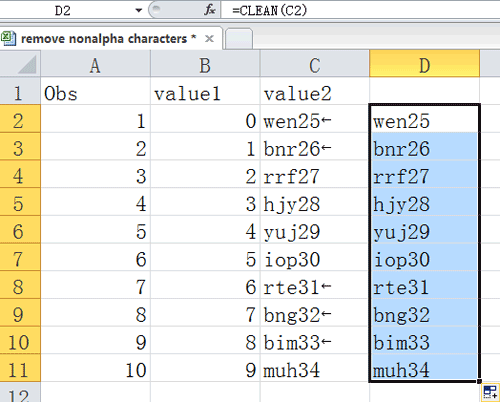
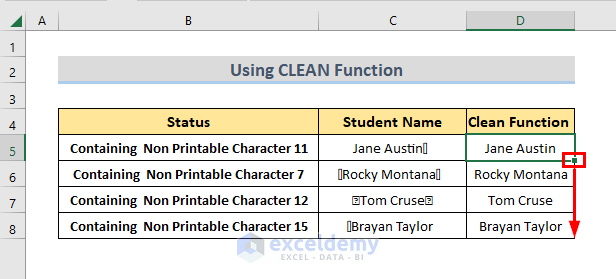
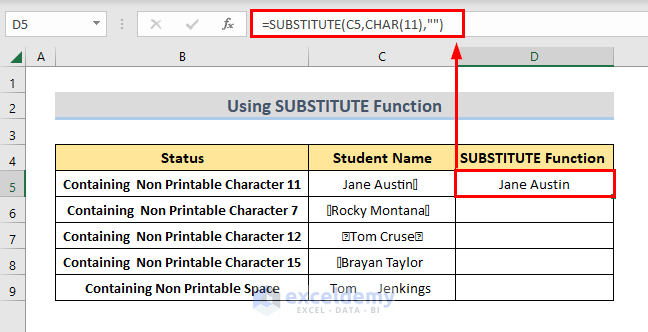
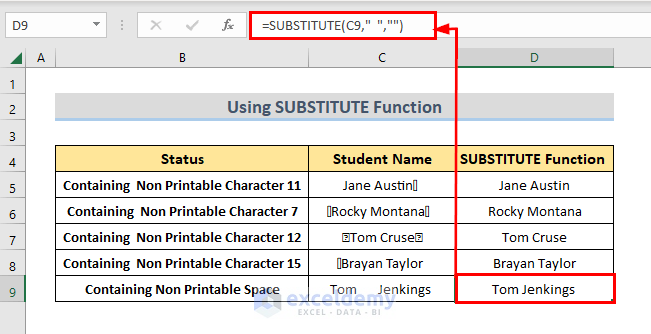
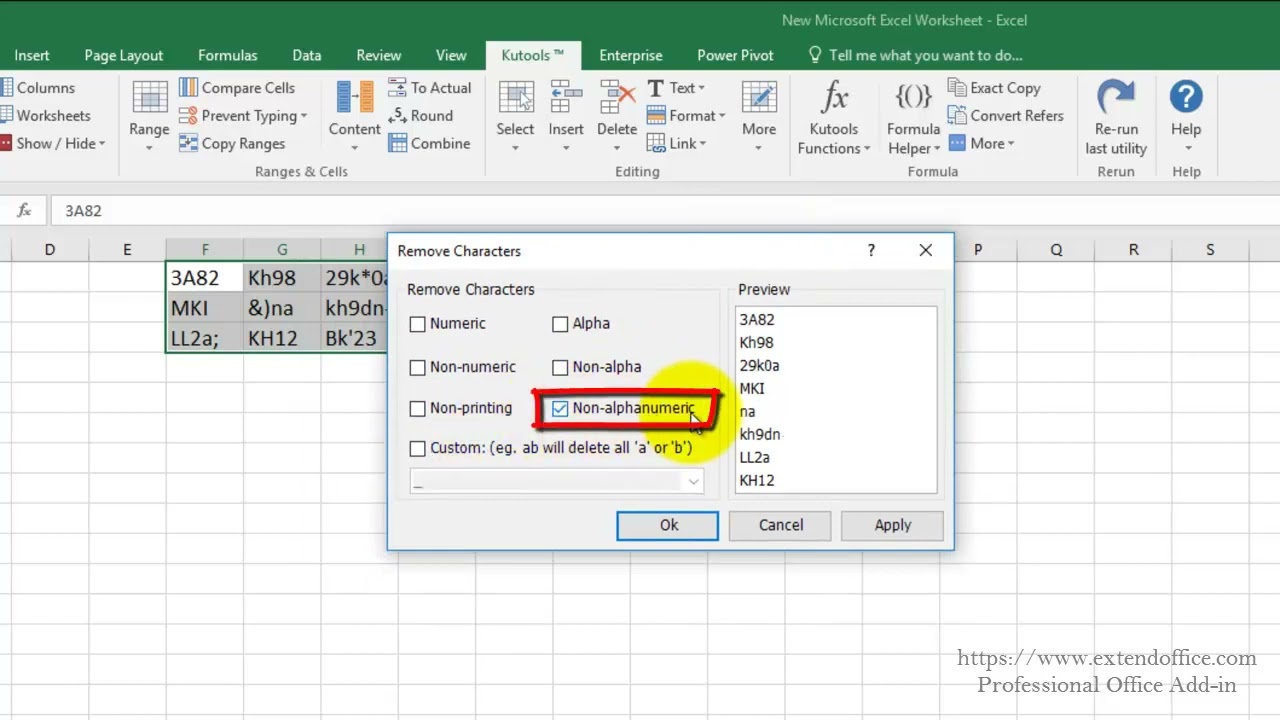
Removing Non-Printable Characters in Excel To remove non-printable characters in Excel, you can use various methods, including using the SUBSTITUTE function, the CLEAN function, or the TRIM function. The SUBSTITUTE function replaces specified characters with other characters, while the CLEAN function removes all non-printable characters from a string. The TRIM function removes spaces from the beginning and end of a string. By using these functions, you can easily remove non-printable characters from your Excel data and improve your data cleaning skills.