A Beginner's Guide to Using Cricut Printable Sticker Paper
Getting Started with Cricut Printable Sticker Paper
If you're a crafter or DIY enthusiast, you're probably familiar with the Cricut machine and its many uses. One of the most popular and versatile materials you can use with your Cricut is printable sticker paper. This amazing material allows you to create custom stickers, labels, and decals for your projects, and it's incredibly easy to use. In this article, we'll show you how to get started with Cricut printable sticker paper and share some tips and tricks for getting the most out of this fantastic material.
To start using Cricut printable sticker paper, you'll need a few basic supplies. First, you'll need a Cricut machine, such as the Cricut Explore or Cricut Maker. You'll also need a computer or tablet with the Cricut Design Space software installed, as well as a printer that can handle sticker paper. Finally, you'll need some Cricut printable sticker paper, which you can purchase online or at a craft store. With these supplies in hand, you're ready to start creating your own custom stickers and labels.
Tips and Tricks for Using Cricut Printable Sticker Paper
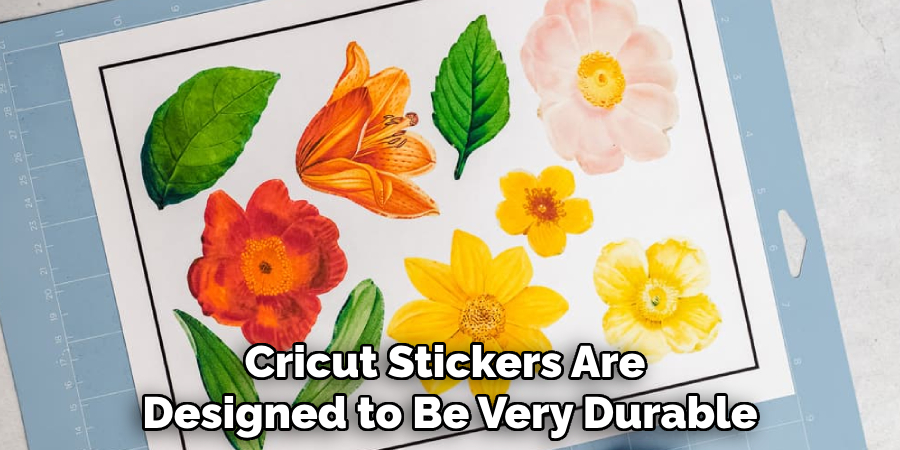
Once you have your supplies, it's time to start designing your stickers. The Cricut Design Space software makes it easy to create custom designs using a variety of shapes, fonts, and images. You can also upload your own images or use pre-made templates to get started. When you're happy with your design, simply send it to your printer and print it out on the sticker paper. Then, use your Cricut machine to cut out the stickers, and you're ready to apply them to your project. It's that easy!
One of the best things about Cricut printable sticker paper is its versatility. You can use it to create custom labels for your files or storage bins, decorate your laptop or water bottle, or even make custom decals for your car or wall. To get the most out of this material, be sure to follow a few basic tips. First, make sure to use the right settings on your printer and Cricut machine to ensure that your stickers turn out correctly. You should also use a laminate or clear coat to protect your stickers from scratches and fading. With a little practice and patience, you'll be creating beautiful custom stickers and labels in no time.