
How To Use Printable Sticker Paper
Getting Started with Printable Sticker Paper
Printable sticker paper is a versatile and fun material that can be used for a variety of purposes, from business marketing to craft projects. With the right tools and techniques, you can create custom stickers that are both professional and eye-catching. In this article, we'll show you how to use printable sticker paper to create your own custom stickers.
To get started, you'll need a few basic supplies, including a printer, a cutting tool, and a design software. You can use a variety of design software, such as Adobe Illustrator or Canva, to create your sticker design. Once you have your design, you can print it onto the sticker paper using your printer. Make sure to follow the manufacturer's instructions for printing on sticker paper, as the settings may vary.
Tips and Tricks for Using Printable Sticker Paper
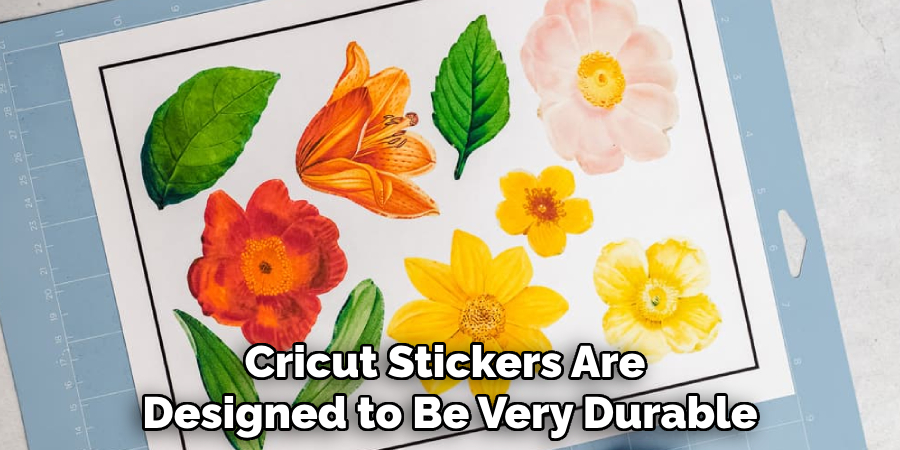
When printing on sticker paper, it's essential to use the right settings to ensure that your stickers turn out correctly. Make sure to select the correct paper type and print quality in your printer settings. You should also use a high-quality sticker paper that is designed for printing. This will ensure that your stickers are durable and long-lasting. Additionally, you can use a laminator to add an extra layer of protection to your stickers.
With a little practice and patience, you can create professional-looking stickers that are perfect for your business or personal projects. One tip is to use a cutting mat and a craft knife to cut out your stickers, as this will give you a clean and precise cut. You can also use a sticker cutter or a die-cutting machine to cut out intricate designs. Another tip is to apply a clear coat of varnish to your stickers to protect them from scratches and fading. By following these tips and tricks, you can create custom stickers that are both durable and eye-catching.